
PC Configurator
for Shopify
Give customers a better way to build a complete computer in your store. Miracle PC Builder brings parts into one simple flow with live prices and guided choices. The PC configurator for Shopify helps you turn a large parts catalog into an easy buying path that leads from the first choice to a finished build.
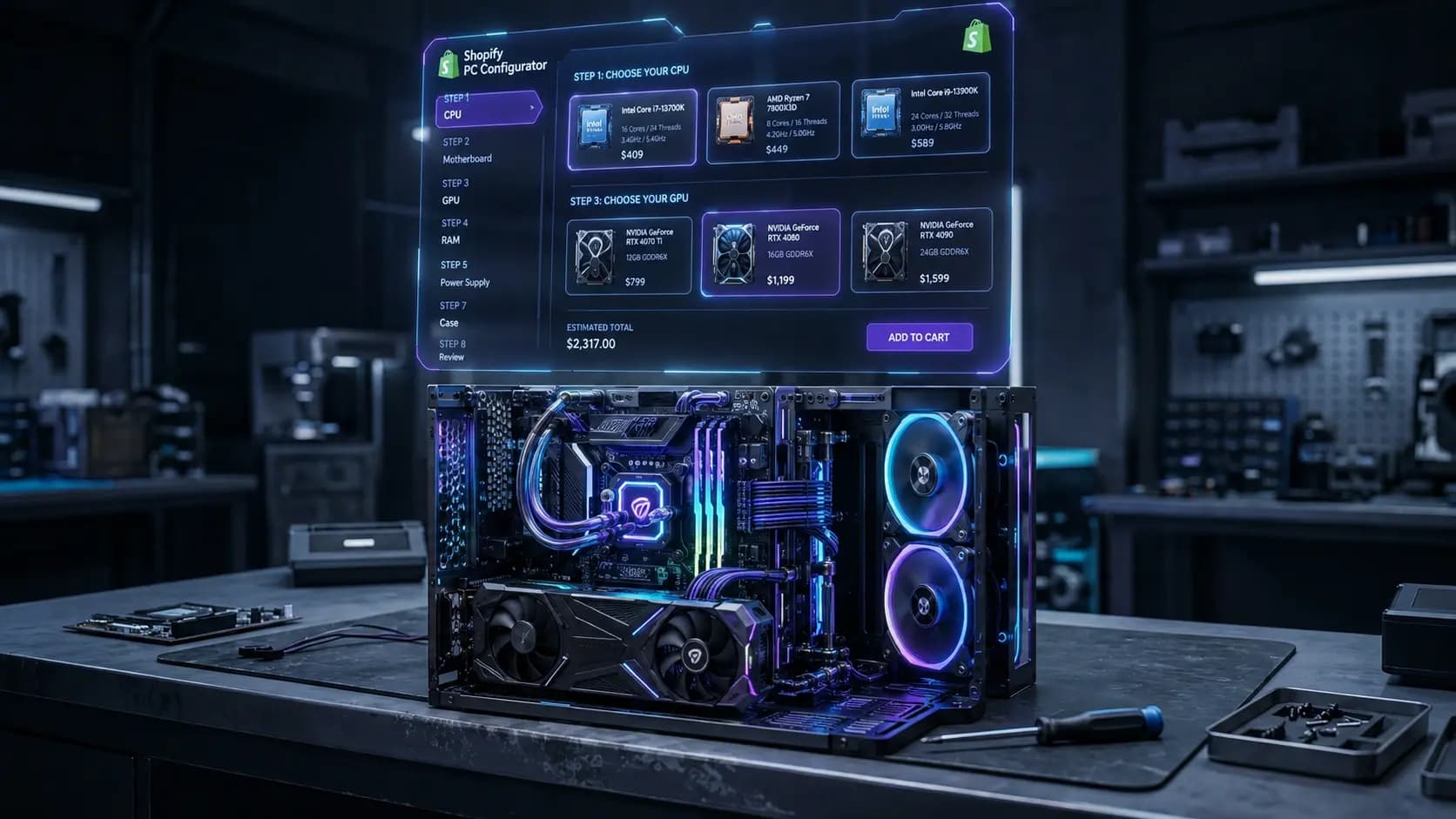
Build a Custom PC Buying Experience on Shopify
Make it easier for shoppers to buy a full system instead of separate parts. Miracle PC Builder guides them through each stage, from the first item to the final setup. Customers can choose a CPU, GPU, memory, storage, case, cooling, and power supply in a clear order. The total price changes as new items are added. This gives shoppers a clear view of both their selected hardware and current build cost. Your store gets a guided sales experience built around how people shop for custom computers. The Shopify PC configurator brings separate items together and helps buyers move toward a complete system.
How a PC Configurator Works With Shopify
This is the core loop that satisfies the search intent behind a Shopify PC configurator — turning existing products into a step-by-step build experience that ends in a single, compatible checkout.
Connect Your Existing Shopify Products
Use current Shopify products instead of creating a second set of listings for the builder. CPUs, graphics cards, memory, storage, cases, coolers, and power supplies can become part of the setup. Relevant product variants can stay attached to each item, so your existing product catalog can serve both normal shopping and custom computer sales.
Organize Products Into PC Builder Steps
Group items into clear component categories and decide the order customers should follow, with each stage focused on one type of hardware. This creates simple configuration steps that give each item a clear place in the process instead of showing every option at once.
Keep Prices and Availability Connected
Buyers can see the current product price while making their choices, and basic product availability stays tied to the item being shown. This keeps key Shopify product data present during the build, so customers choose based on what your store is offering at that time.
Add the Completed Build to Shopify Cart
Once all choices are made, the completed PC build can move into the Shopify cart. Customers do not have to find and add every selected item again, which keeps the move from building to buying short and clear.
Automatically Prevent Incompatible PC Configurations
A normal product list does not know which computer parts should work together. Miracle PC Builder adds that missing layer through compatibility rules.
Selections can affect what appears next. If an item conflicts with an earlier choice, conditional filtering can remove it from the available options. Suitable parts remain visible, which helps maintain PC component compatibility as the system takes shape.
This makes the custom PC builder for Shopify useful for more than product selection. It helps stores guide buyers toward valid combinations without checking each order by hand. For detailed rule examples, see the Compatibility Logic guide.
Manage Complex PC Options Without Relying on Shopify Variants
Variants are useful when one item comes in different forms. A custom computer creates a different problem because it combines many independent products.
A processor may affect the motherboard choices. Other selections may also change what should appear later. Trying to treat every possible system as a variant can create a huge number of combinations.
A Shopify computer configurator gives these products a structured relationship without turning each possible system into one listing. Merchants can keep parts separate while giving buyers one connected route through them. See how this compares to Shopify product options.
Add Complete PC Builds to Shopify Checkout
A finished system may contain many products, different variants, and more than one unit of some items. Miracle PC Builder keeps those selections together when the buyer is ready to order.
The chosen items and quantities can be added to the cart as one completed configuration. From there, the customer can continue through Shopify checkout using the normal store purchase flow.
This gives the Shopify PC builder app a direct role in sales. It takes the customer from a finished setup to a ready-to-buy cart without rebuilding the order by hand.
Keep Your PC Builder in Sync With Your Shopify Store
PC stores change often. Prices move, stock runs out, products are updated, and some items stop being sold.
Miracle PC Builder uses product sync to keep the configurator tied to those store changes. Current stock levels, prices, status, and variants can stay aligned with the source catalog. Out-of-stock parts can also be hidden from new selections.
A PC builder app for Shopify therefore does not need a separate static list that merchants must keep updating by hand.
Customize the PC Configurator to Match Your Shopify Theme
The builder can sit inside your storefront instead of sending shoppers to a separate tool. Add it to a page through a Shopify section block and adjust its look to fit your brand.
Merchants can control visual details with custom CSS, layouts, step names, and display settings. The interface is also responsive, so the experience works across desktop and mobile screens.
This helps the PC configurator software for Shopify feel like a natural part of the store around it.
Manage and Scale Your Shopify PC Builder
Miracle PC Builder also gives merchants tools for handling the setup behind the customer experience. Use the admin dashboard to manage builders, categories, settings, and rules.
As the catalog grows, PC builder software for Shopify keeps these tasks in one place instead of spreading them across separate tools.
Multiple Builders
Run more than one widget in the same store — for example a "Gaming PC Builder" and a "Workstation Builder" — each with its own steps, products, and compatibility rules.
AI Fill
AI Fill can help with component information, instead of filling every field by hand. Learn more
CSV Import and Export
CSV import and export can make larger data updates faster across your catalog. Learn more
Analytics
Built-in analytics and build tracking give you a view of how shoppers use each setup.
Why Use a Dedicated Shopify PC Builder App?
Shopify already offers several ways to sell products with choices. However, they solve different problems.
Variants work well for options within one product. Product option apps add more choices to a listing. Bundle apps group several products for sale. Custom development can create a unique system, but it also needs development and ongoing maintenance.
A dedicated builder is made for a different job. It connects many computer parts through an ordered buying flow while accounting for the relationships between those choices. That makes it useful for merchants who need more than extra options or a fixed bundle — the goal is to let customers create their own system while keeping the process connected to the store.
Here's how the alternatives stack up:
| Approach | Tradeoff |
|---|---|
| Plain Shopify Variants | Breaks down fast — variant limits and combinatorial explosion once you pass a handful of components. |
| Generic Product-Option Apps | Adds custom text/dropdown fields to a single product, but has no real cross-product compatibility logic. |
| Bundle Apps | Good for fixed kits, not for guided step-by-step selection across independent components. |
| Custom Development | Fully flexible, but expensive to build and expensive to maintain as your catalog changes. |
| Dedicated PC Configurator | Built specifically for component-based selling: compatibility rules, guided steps, and bundle checkout out of the box. |
Related reading: PC Configurator vs. Shopify Product Options, PC Configurator vs. Bundle Apps and PC Configurator vs. Custom Development.
Frequently Asked Questions About Shopify PC Configurators
Can Shopify support a custom PC configurator?
Yes. A dedicated app can add a guided computer building flow to a Shopify storefront. Merchants can use products they already sell and arrange them into a clear process for customers.
Can I use my existing Shopify products in a PC builder?
Yes. Existing items can be used as selectable parts inside Miracle PC Builder. This means you do not need to create a separate duplicate catalog only for the configuration experience.
How does PC compatibility checking work on Shopify?
Rules can connect related hardware choices. When a customer makes one selection, those conditions can control which options remain available later. Conflicting choices can be filtered while suitable alternatives stay visible.
Can customers add an entire PC build to their cart?
Yes. Once the setup is complete, its selected items can move into the cart together with the required quantities. The buyer can then continue with the normal purchase process.
Does a PC builder work with Shopify inventory?
Yes. Miracle PC Builder can stay connected to stock and product status. This helps prevent unavailable items from being offered as normal choices when store inventory changes.
Do I need custom development to add a PC configurator?
No custom build is required to start using Miracle PC Builder. The app provides the core building tools, store connection, rules, and storefront embedding needed to set up the experience.
Explore Other Miracle PC Builder Solutions
For Computer Stores
Guided buying journeys and catalogue-wide compatibility for retailers with large PC part catalogues.
Sell Custom PCs
Run a build-to-order PC business on Shopify without creating thousands of product variants.
Sell PC Parts
Structure your PC parts catalogue, show compatibility, and manage fast-changing inventory.
Install Miracle PC Builder on Shopify
Start free, upgrade any time. 14-day free trial on paid plans, no credit card required to install.
Install Free on Shopify