
Sell PC Parts
on Shopify
Running a Shopify PC parts store can get hard as your product range grows. Each CPU, GPU, motherboard, and power supply needs clear details and current stock. Buyers also need help choosing parts that work together. One wrong choice can lead to a lost sale or return. Miracle PC Builder turns your product catalogue into a simple guided path. It helps shoppers view available parts, make suitable choices, and add a complete setup to their cart.
Start Selling PC Parts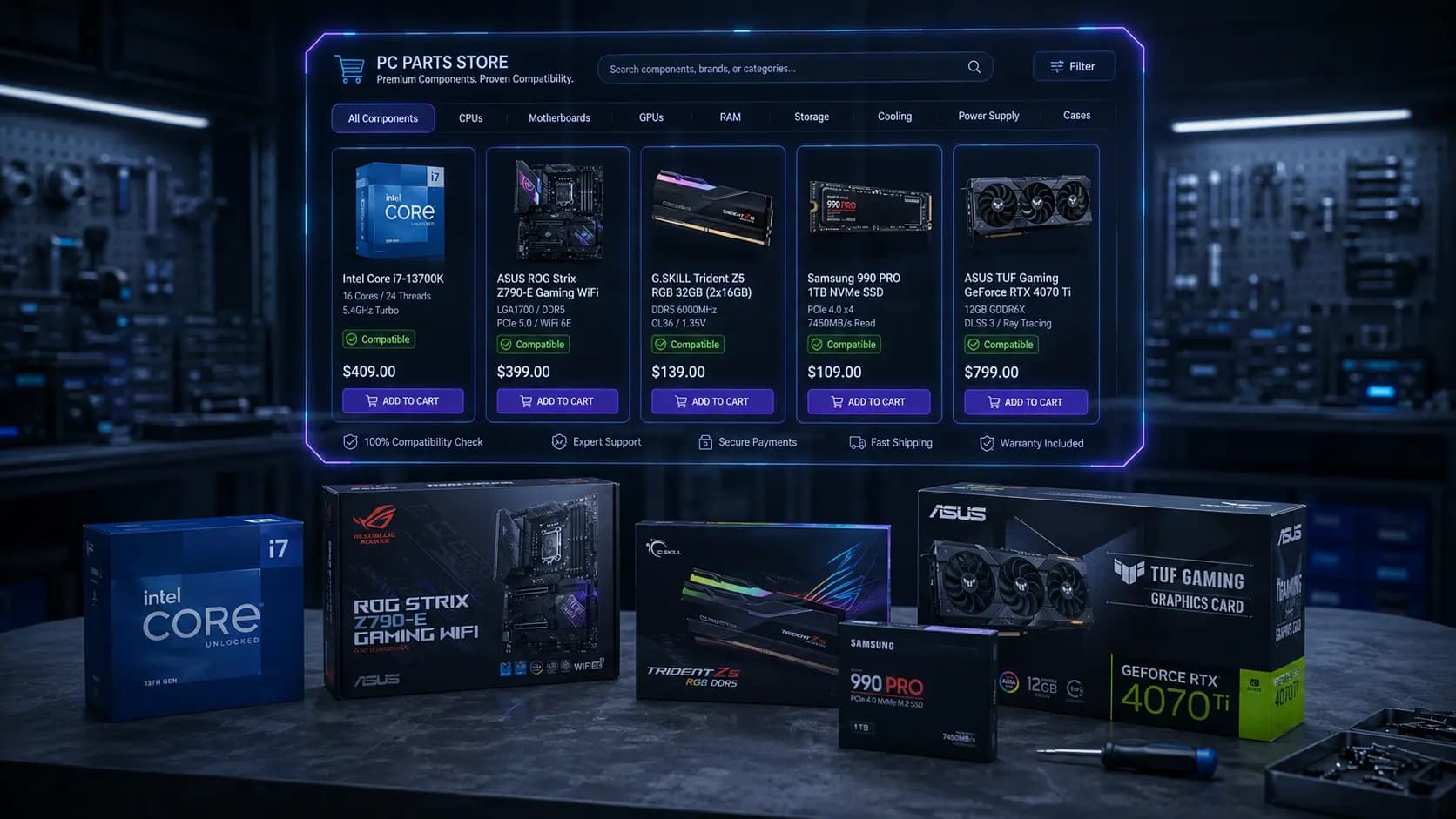
Build a Better PC Parts Store on Shopify
You do not need to create a second product catalogue to sell computer parts on Shopify. Miracle PC Builder connects the products already listed in your store. You can add CPUs, GPUs, motherboards, memory, storage, cases, and power supplies to clear shopping steps. Customers can move through each component group without searching across many collection pages. Product prices and stock details stay linked with your Shopify data. This creates a smoother PC parts ecommerce experience while keeping product management in one place. It also gives buyers a clear path from their first component choice to the final cart.
Structure Your PC Parts Catalogue Around Customer Choices
A clear catalogue helps buyers find the right parts without sorting through unrelated products. Your computer hardware store Shopify setup should follow the way customers compare and select components.
Organize Products by Component Type
Place CPUs, GPUs, motherboards, RAM, storage, power supplies, cases, and cooling products in separate steps. Customers can then focus on one choice at a time and move through the catalogue with less effort.
Use Brand and Specification Data
Use details such as brand, socket, chipset, memory type, capacity, form factor, and wattage to group products. These details help buyers narrow their options based on their build needs.
Keep Product Information Consistent
Follow one format for product names, SKUs, images, prices, and technical details. Consistent information makes products easier to compare. It also helps your team manage updates and reduces confusion when new parts enter the catalogue.
Give Customers the Technical Data They Need
Customers need clear facts before they can compare PC parts. Show the CPU socket and power draw with each processor. Motherboards should include the chipset and form factor. Add the RAM type and capacity for memory products. Storage listings should show the interface and size. GPU pages need card dimensions and power requirements. Also include PSU wattage and the available case clearance.
CPU and Motherboard Specifications
Socket type, chipset, core/thread count, base and boost clock, and supported memory type belong on both product pages so a shopper can sanity-check a pairing without leaving the page.
RAM and Storage Specifications
Memory type, speed, capacity, and module count for RAM; interface (SATA/NVMe), capacity, and form factor for storage. These are the fields customers filter by first.
GPU, PSU and Case Specifications
Length and power draw for GPUs, wattage and connector types for PSUs, and supported motherboard form factors and clearance for cases — the three specs most responsible for a build simply not fitting together.
Keep these details in the same format across your computer parts ecommerce platform. Structured data makes similar products easier to compare and helps shoppers find suitable options faster. It also gives compatibility filters clear information to check. For example, a filter can match a CPU socket with a motherboard or remove a graphics card that will not fit inside the selected case. Clear specifications support better choices without filling every product page with long technical explanations.
Use Products and Variants Correctly
Use variants when an item stays mostly the same but offers a different capacity, colour, or size. Each option can have its own SKU, price, and stock count. Create a separate product when the hardware has a different generation, chipset, purpose, or set of system requirements. This gives each major model its own page and prevents unrelated items from being grouped together. The right structure also makes catalogue updates easier as older models leave and new ones arrive. Good PC parts store software should support both methods without forcing every choice into one large product listing. This keeps store records accurate and order details easy to understand.
Keep PC Parts Inventory Updated
Hardware stock can change quickly as new generations launch and older components reach the end of their sales cycle. Your online PC parts store must reflect these changes before they affect an order. Miracle PC Builder syncs with Shopify to follow the current status of linked items. When a component runs out, the app can remove it from available selections automatically. This stops shoppers from building around an item you cannot supply. Once the product is restocked, it can appear as an option again. You can also remove discontinued models while adding their replacements, which keeps the active range current without updating a separate list by hand.
Help Customers Choose Compatible PC Parts
Compatibility support gives buyers more confidence when they sell PC parts online through your store. Miracle PC Builder checks each new choice against the parts already selected.
Match CPUs With Motherboards
A processor and motherboard must use the same socket. You can also decide which chipsets appear with each processor range.
Match RAM With Motherboards
Memory must match the DDR generation supported by the board. Capacity limits can further control which RAM options remain available.
Match GPUs With Cases and Power Supplies
A graphics card must fit inside the chosen case. The power supply must also provide enough wattage for the selected hardware.
Miracle PC Builder applies compatibility logic across these product relationships. When one choice conflicts with another, the unsuitable option no longer appears in the next step. Buyers can then continue with parts that meet the rules set by your store.
Prevent Incompatible PC Part Orders and Costly Returns
Compatibility checking, above, solves the selection problem — stopping a bad combination before checkout. This is the business consequence of not solving it: a PSU that can't power a GPU, or a CPU that doesn't fit a motherboard, becomes a return, and PC parts returns are expensive in ways generic ecommerce returns aren't. Reverse shipping on heavy components, restocking an item as open-box at a markdown, and the support time spent diagnosing what went wrong all eat into margin — and a customer who received the wrong part for their build loses trust regardless of how the return itself is handled. Preventing the mismatch upfront is cheaper than resolving it afterward. Read the full breakdown in The Real Cost of Incompatible PC Orders.
Handle Out of Stock Components Without Breaking the Shopping Journey
An unavailable part shouldn't be a dead end. Hiding out-of-stock components from the builder as soon as your Shopify inventory changes, and prompting customers toward compatible alternatives instead of a blank result, keeps a build in progress from stalling out entirely. As parts restock or new products get added, the catalogue underneath stays current automatically — customers configuring a build see accurate availability throughout, with clear messaging rather than a checkout-time surprise.
Turn Individual Components Into Larger Orders
A customer looking for one part may also need other items to complete the upgrade. Show a suitable motherboard beside a chosen CPU, or suggest a case and power supply for a graphics card. These recommendations help shoppers find related products without starting a new search. Your computer parts store software can also guide buyers through a full set of components when they want more than one item. The PC Configurator for Shopify places these choices in one connected flow. Customers can review their complete setup before adding the selected products to the Shopify cart, which creates more opportunities for larger orders.
Increase Average Order Value in Your Shopify PC Parts Store →Sell to Both Experienced Builders and First Time PC Buyers
Experienced Builders
Full technical specifications, direct access to specific components, and no forced hand-holding through decisions they've already made.
First Time PC Buyers
Compatibility guidance, simplified choices, and clear explanations for why a part is or isn't a good fit — without needing to understand a spec sheet first.
Frequently Asked Questions About Selling PC Parts on Shopify
Is Shopify good for selling computer parts?
Yes. Shopify provides product pages, secure payments, order tools, and stock controls for a component business. A specialist app can add guided product selection that standard storefront features do not offer on their own.
How should PC parts be organized in Shopify?
Start with separate groups for each component type. Then use useful product details to support search and filtering. Shoppers should be able to narrow a large range without opening every listing or moving through unrelated collection pages.
Should PC component options use products or variants?
Use variants for small changes within the same item, such as colour or storage capacity. Create separate listings when models have different uses or major hardware changes. This approach gives important components more space in search results and store navigation.
How can customers check whether PC parts are compatible?
Stores can use selection rules based on product requirements. Each customer choice can limit what appears next. Clear labels and short guidance also help buyers understand why an option is available without asking staff to review the order.
What happens when a selected component goes out of stock?
The unavailable item can be removed before another customer chooses it. Any completed order should still follow the normal store process. When stock returns, the merchant can make that option available again without rebuilding the entire shopping flow.
Can I sell individual parts and complete PC builds together?
Yes. Customers can buy a single item from its normal product page or combine several items through a builder. Stores that offer assembled systems can also sell custom PCs on Shopify alongside their regular component range.
Explore Other Miracle PC Builder Solutions
PC Configurator for Shopify
See how the guided configurator connects to your existing Shopify products and checkout.
For Computer Stores
Guided buying journeys and catalogue-wide compatibility for large PC part catalogues.
Sell Custom PCs
Run a build-to-order PC business without creating thousands of product variants.
Start Selling PC Parts More Effectively
Make it easier for shoppers to complete their purchase without asking your team to confirm every choice. Miracle PC Builder brings guided component buying directly into your Shopify storefront. Give customers more confidence at the point of sale while creating a simpler buying experience.
Install Miracle PC Builder