Building a Profitable PC Parts Store on Shopify in 2026
The PC components market is one of the most technically demanding niches in e-commerce — and also one of the most loyal. Customers who find a store they trust come back for every upgrade, every new build, every recommendation to friends.
This guide covers everything you need to set up and scale a Shopify PC parts store in 2026.
1. Catalog Structure
Product Organization
Create collections that mirror how customers think about PC components:
- **By component type**: CPUs, Motherboards, GPUs, RAM, Storage, Cases, PSUs, Cooling, Peripherals
- **By brand**: Intel, AMD, NVIDIA, Corsair, NZXT, etc.
- **By use case**: Gaming, Workstation, Budget, Streaming Setup
- **By price range**: Under $100, $100–$300, $300–$500, $500+
Use Shopify's nested collection structure and smart collections (tag-based) to automate catalog management as your inventory grows.
Product Metafields for PC Components
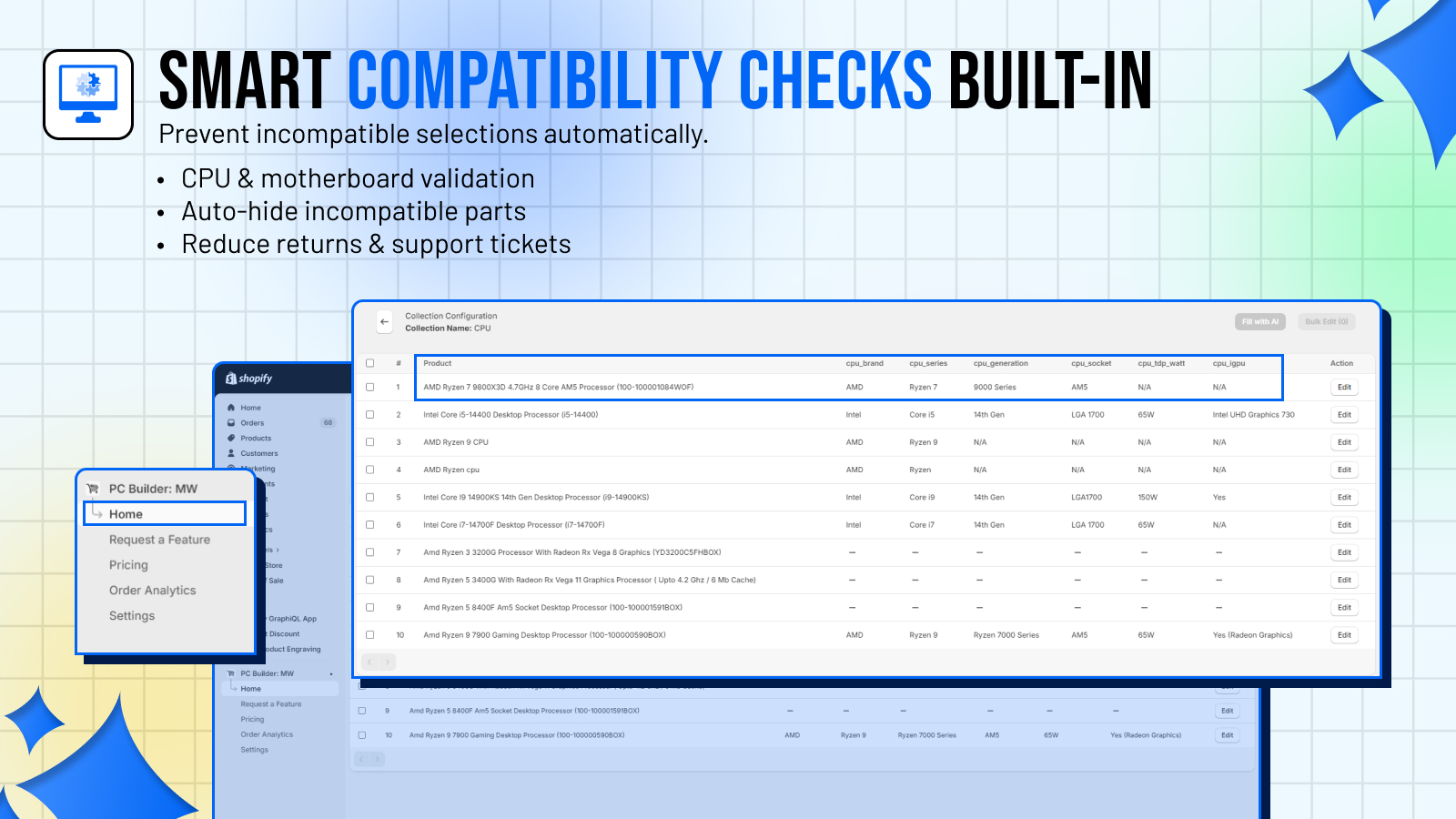
Set up metafields for component specifications — socket type, wattage, TDP, form factor, memory type. These serve two purposes:
- Display accurate specs on product pages (builds trust)
- Power PC Builder MW's compatibility engine (prevents bad builds)
PC Builder MW's AI fill feature can auto-populate many of these fields from product titles and descriptions, saving hours of manual data entry.
Stock and Variants
PC components often have variants — same GPU in different VRAM configurations, same CPU with or without cooler. Use Shopify variants correctly, and make sure PC Builder MW maps to the right variant for each compatibility rule.
2. The PC Builder Experience
Why a Configurator Is Essential in 2026
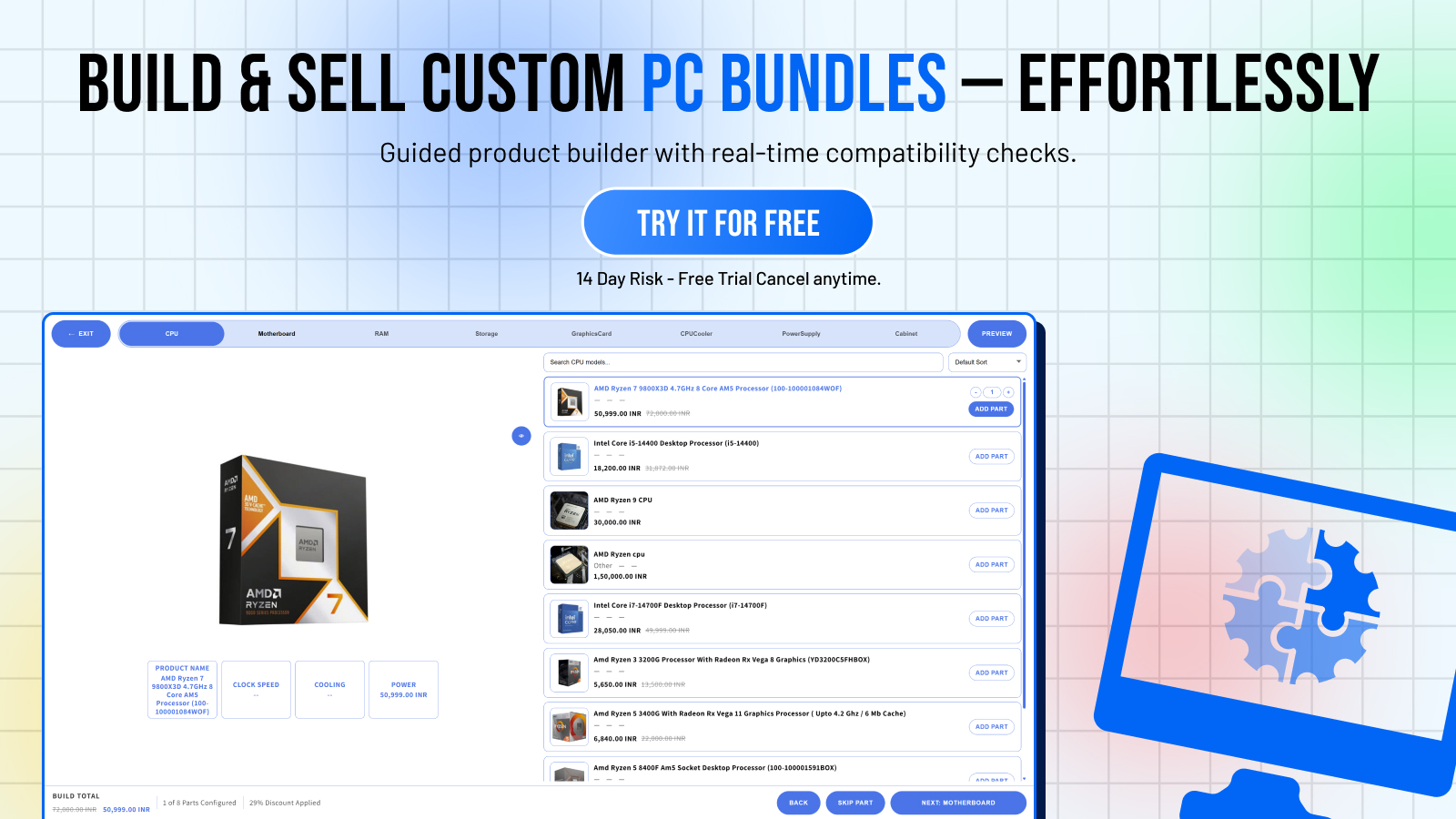
Customers increasingly expect guided experiences. They don't want to tab between 8 product pages, manually check specs, and hope it all works. A configurator that:
- Guides them step by step
- Shows only compatible parts
- Displays a running total
- Lets them add everything to cart in one click
...converts dramatically better than a standard browsing experience.
Setting Up PC Builder MW
Follow the full setup guide here. Key things to configure:
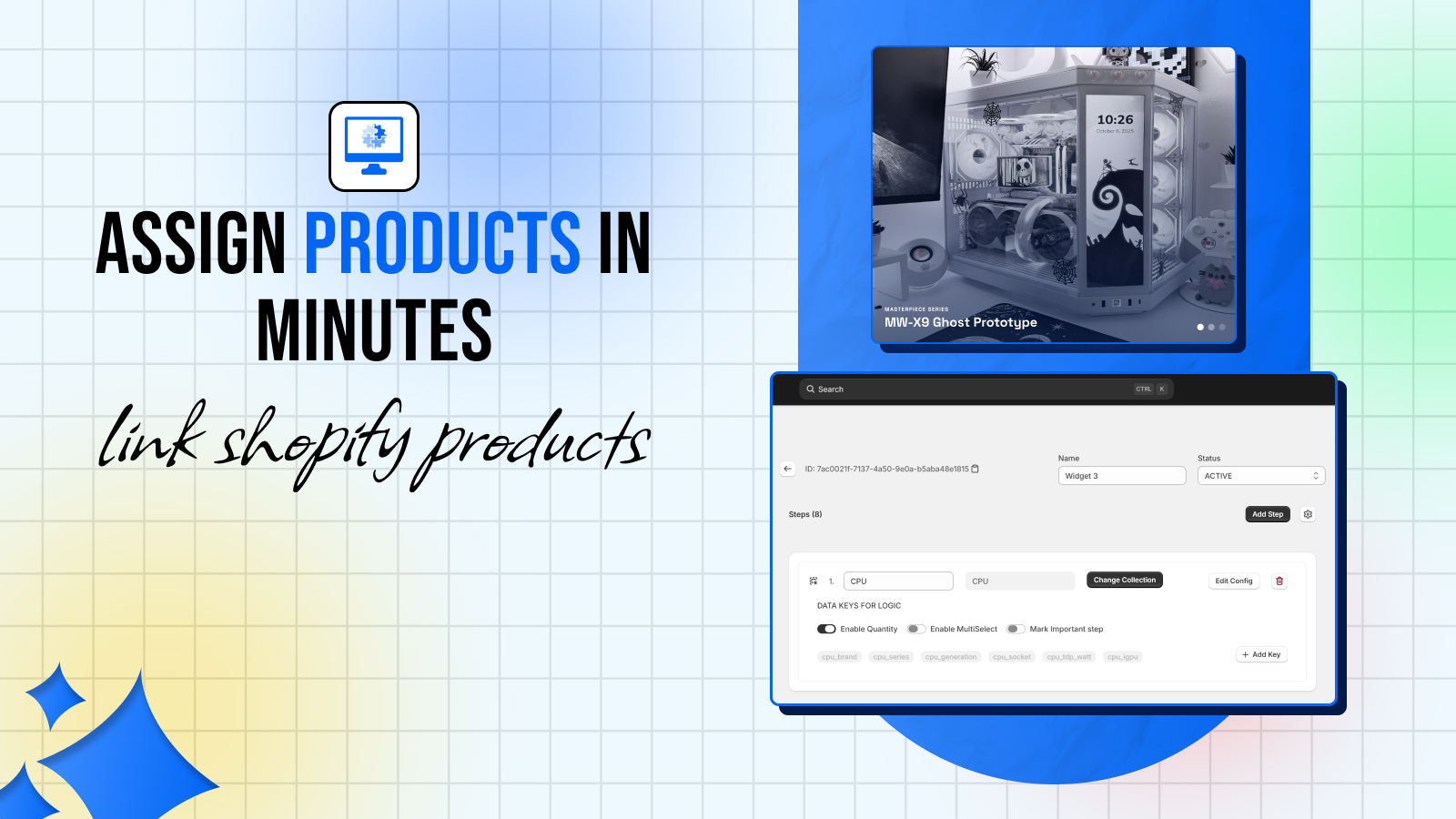
- Create widgets for your main use cases (Gaming, Workstation, Budget)
- Set up compatibility rules for your catalog
- Enable the AI fill feature for faster product population
- Embed the builder on a dedicated landing page
The Landing Page
Create a dedicated page — "Build Your PC" or "Custom PC Builder" — and embed your PC Builder widget there. This page should:
- Have a clear headline explaining what the tool does
- Show trust signals (compatibility guarantee, easy checkout)
- Be in your main navigation
This page often becomes one of the highest-converting pages on the store once customers discover it.
3. SEO for PC Parts Stores
Keyword Strategy
Target a mix of:
- **Component keywords**: "buy Ryzen 9 7950X", "RTX 4090 price", "DDR5 RAM for gaming"
- **Build keywords**: "gaming PC parts list", "budget gaming PC build", "streaming PC components"
- **Comparison keywords**: "Intel vs AMD 2026", "DDR4 vs DDR5 gaming"
- **Configurator keywords**: "custom PC builder online", "PC parts compatibility checker"
The configurator landing page naturally targets the last category — a high-intent keyword with strong commercial value.
Technical SEO
- Ensure product pages load fast (Shopify's CDN helps, but optimize images)
- Use structured data (Product schema) on product pages
- Create a sitemap.xml and submit to Google Search Console
- Internal link from blog posts to product pages and the configurator
Content Marketing
The PC community loves content. A blog with:
- Build guides ("Best $1000 Gaming PC Build — March 2026")
- Reviews ("RTX 5080 vs RTX 4090: Is It Worth the Upgrade?")
- How-to guides ("How to Install a CPU Cooler: Step-by-Step")
- Comparison posts ("Intel Core Ultra 9 vs AMD Ryzen 9 9950X")
...drives organic traffic and builds authority. Every blog post is a link back to your store.
4. Customer Experience and Support
Reducing Support Tickets
The single biggest driver of support tickets in PC stores is compatibility questions. PC Builder MW eliminates most of these automatically. But you'll still get questions about:
- Shipping and returns
- Stock availability
- Build advice
Create an FAQ page, set up automated email responses for common queries, and use live chat during peak hours (evenings and weekends for consumer, business hours for B2B).
Post-Purchase Experience
PC builds take days to arrive and hours to assemble. Create a post-purchase email sequence that:
- Confirms the order with a summary of all components
- Sends assembly guides and resources
- Follows up after delivery to ask for a review
- Recommends complementary products (peripherals, accessories)
5. Scaling Up
Once you have the foundation:
- **Expand your catalog**: More SKUs = more search traffic and more build options
- **Create seasonal promotions**: Back to school, Black Friday, new product launch promotions
- **Partner with YouTubers/streamers**: PC builds are highly visual content — video partnerships drive real sales
- **B2B expansion**: Businesses, schools, and gaming cafes order in bulk — have a B2B pricing option
Ready to Launch?
PC Builder MW is the foundation of a great Shopify PC store experience. Install it today →