PC Builder MW: What Is It?
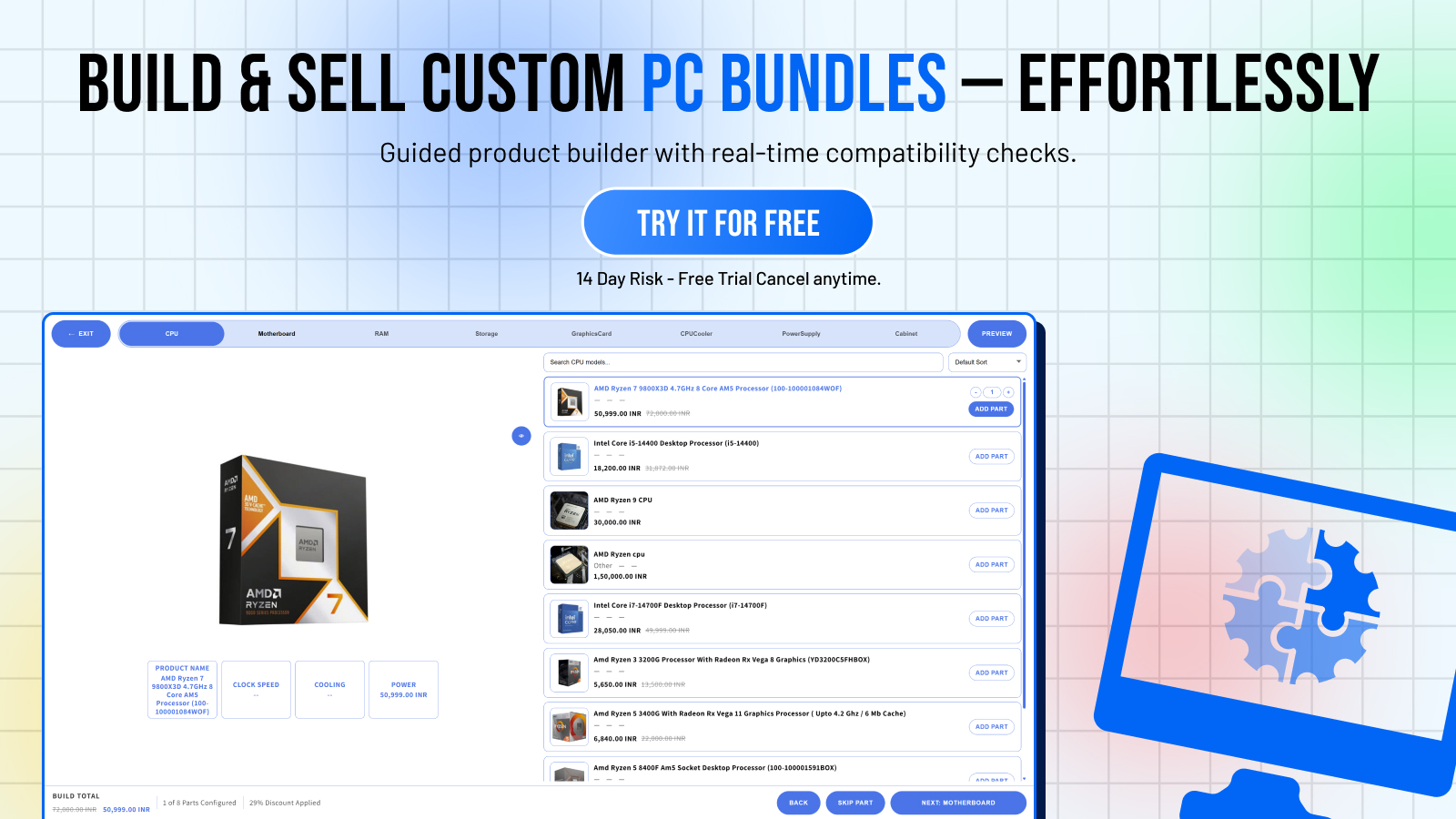
PC Builder MW is a Shopify app that adds an interactive PC configurator to your store. Instead of customers browsing individual product pages and manually checking compatibility, they use a step-by-step builder — selecting each component while the app validates compatibility in real-time.
It's built by Miracle Websoft and available on the Shopify App Store.
Who Is It For?
PC Builder MW is purpose-built for:
- **PC parts retailers** selling CPUs, motherboards, RAM, GPUs, cases, and other components
- **Computer hardware stores** that want to offer a guided build experience
- **Electronics retailers** with configurable product categories
If you sell PC components on Shopify and your customers sometimes ask "will this work with that?" — this app solves that problem systematically.
Core Features
1. Interactive PC Configurator Widget
The centerpiece of the app. An embeddable widget that guides customers through component selection step by step. Each step represents a component category. Customers see only compatible options (based on rules you define), and a running price total updates as they build.
The widget works in any Shopify theme — no coding required. You embed it through the theme editor as a section block.
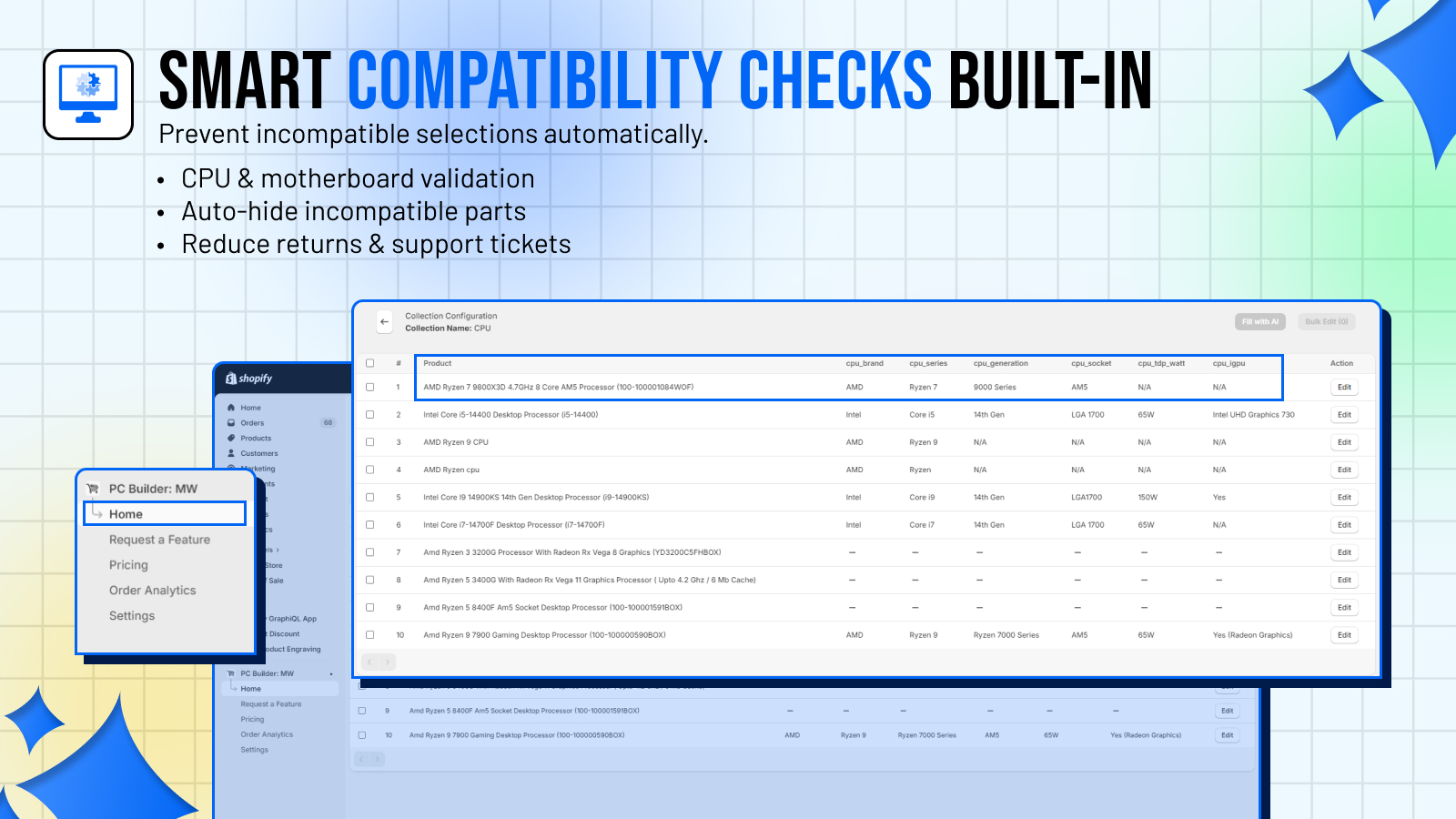
2. Smart Compatibility Engine
Define rules that govern which products can be selected together. For example:
- AM5 CPUs only work with AM5 motherboards
- DDR5 RAM requires DDR5-capable motherboard
- High-TDP CPUs require high-wattage PSUs
Rules are applied in real-time. When an incompatible selection is made, customers see a clear indicator before they can add to cart.
3. AI-Powered Product Fill
PC Builder MW includes an AI fill feature that can automatically populate component descriptions, compatibility notes, and categorization — pulling from product titles, descriptions, and specifications. This saves significant time when setting up a large catalog.
You can use your own AI API key (on the Basic plan) or use built-in AI access (on the Pro plan).
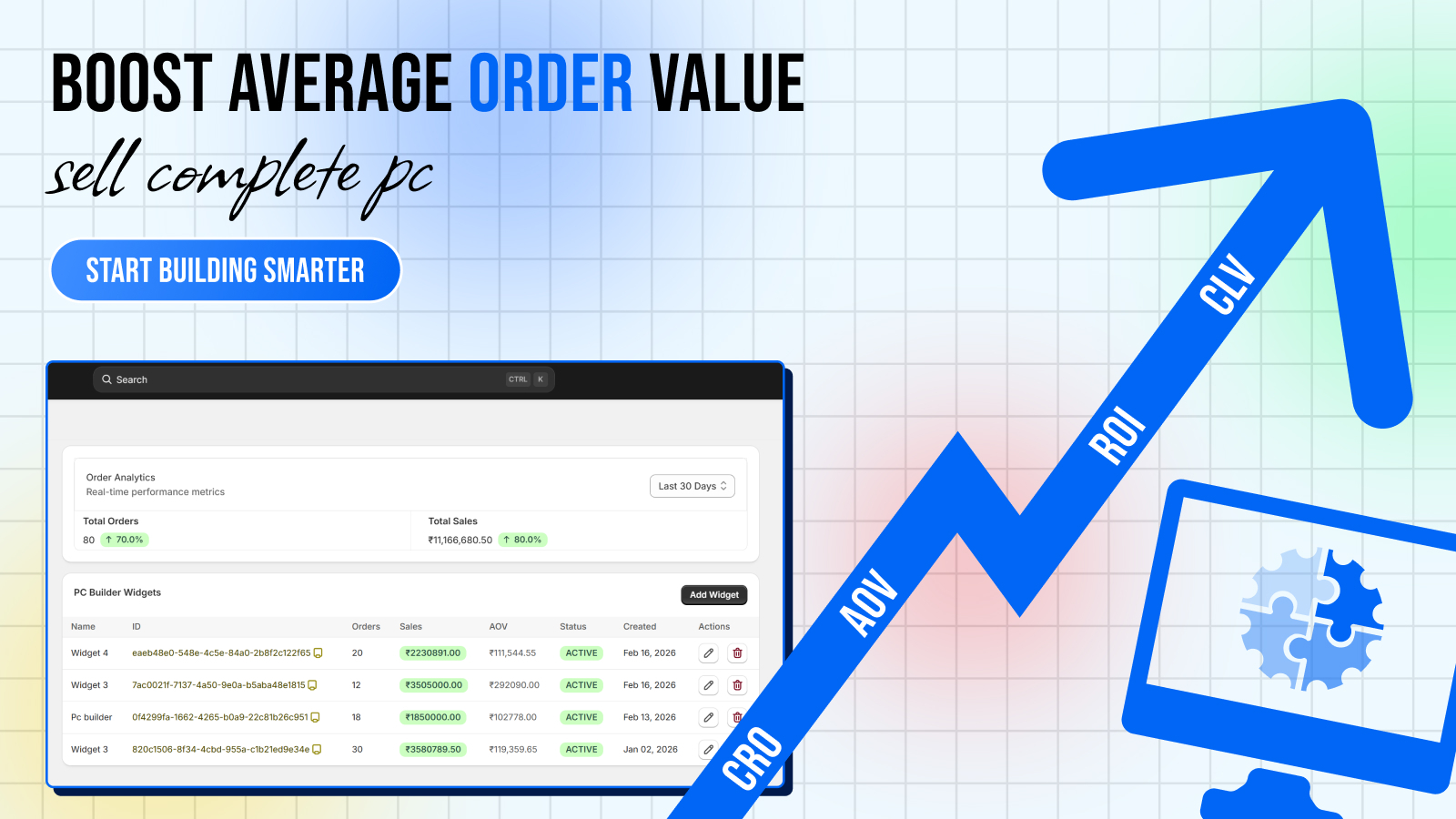
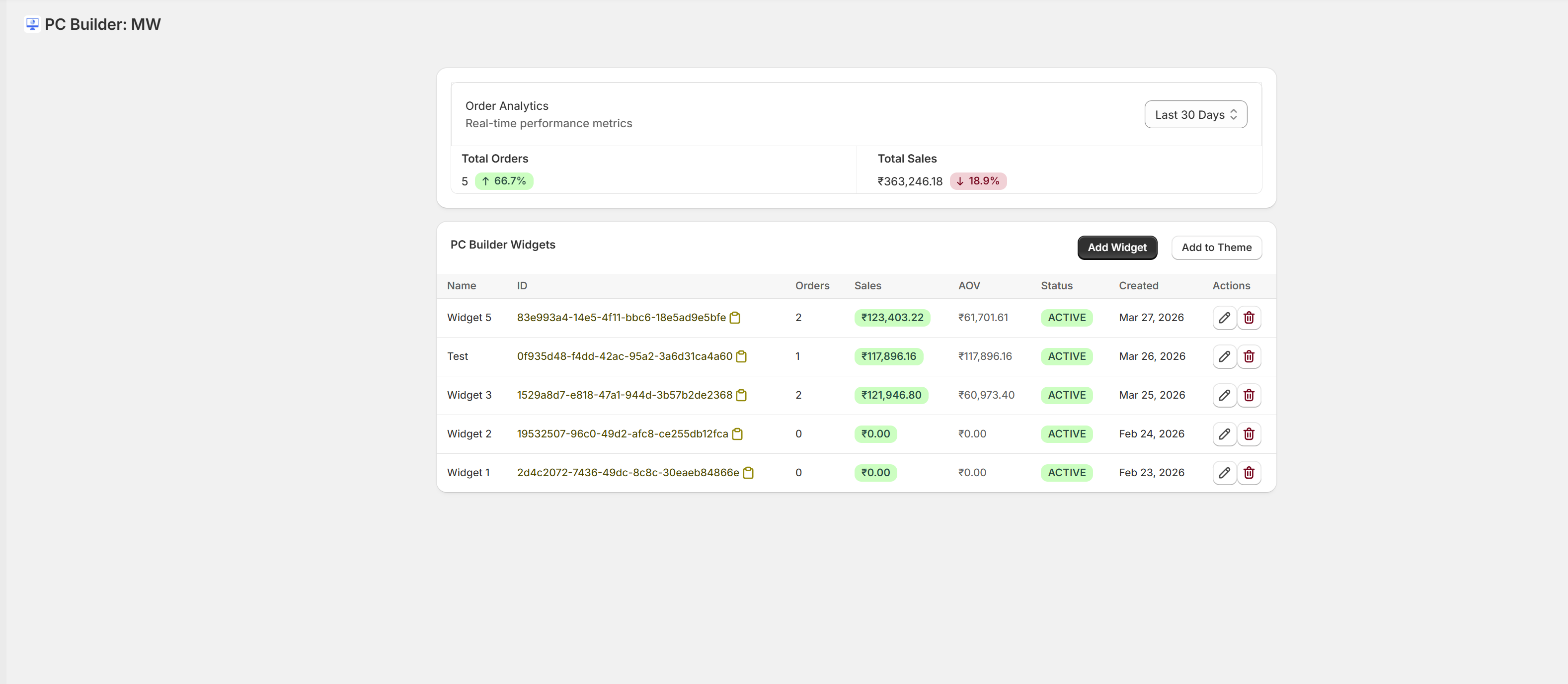
4. Admin Analytics Dashboard
Track every build created in your store:
- Which widgets are getting the most builds
- Total orders generated per widget
- Sales value per widget
- Average order value
- Build completion rate
This data helps you understand which product configurations are most popular and optimize your catalog accordingly.
5. Order Analytics
See all PC Builder-attributed orders in one dashboard — total orders, total sales, AOV over customizable date ranges. Filter by widget to see which configurator is driving the most revenue.
6. CSV Import/Export
Import products in bulk, set up compatibility rules in bulk, and export build data — all via CSV. Essential for stores with large catalogs.
7. Theme Embedding
One-click theme integration. The PC Builder section block appears in your Shopify theme editor and can be dragged onto any page. No developer needed.
Pricing
PC Builder MW offers two plans, both billed monthly through Shopify:
Basic — $9.99/month
- Unlimited orders
- CSV import/export
- AI fill with your own API key
- All configurator features
Pro — $19.99/month
- Everything in Basic
- Built-in AI access (no API key needed)
- Priority support
Both plans include a free trial so you can test the app before committing.
Setup Experience
The setup experience is genuinely fast. Create a widget, add steps, assign products, define compatibility rules, embed on your store. The first time through takes maybe 15–30 minutes depending on catalog size. Subsequent widgets (for different build types) take under 10 minutes.
The CSV import is particularly powerful for large catalogs — you can prepare your compatibility rules in a spreadsheet and import them all at once.
The Admin Interface
The app's admin runs inside Shopify — no external dashboard to log into. This means you're working in the environment you already know, with no additional login friction.
Navigation inside the app: Home → Order Analytics → Pricing → Settings → Guide → Request a Feature. It's clean and intuitive.
What Could Be Better
As a relatively new app (launched April 2026), the review count on the App Store is still building. The core functionality is solid, but you'd expect more polish and more edge-case handling to develop over time as the user base grows and feedback accumulates.
Verdict
PC Builder MW is a well-executed solution to a real problem in PC e-commerce. The compatibility engine alone justifies the subscription cost — the ROI from reduced returns and support tickets is immediate.
If you sell PC components on Shopify, this app should be in your stack.